
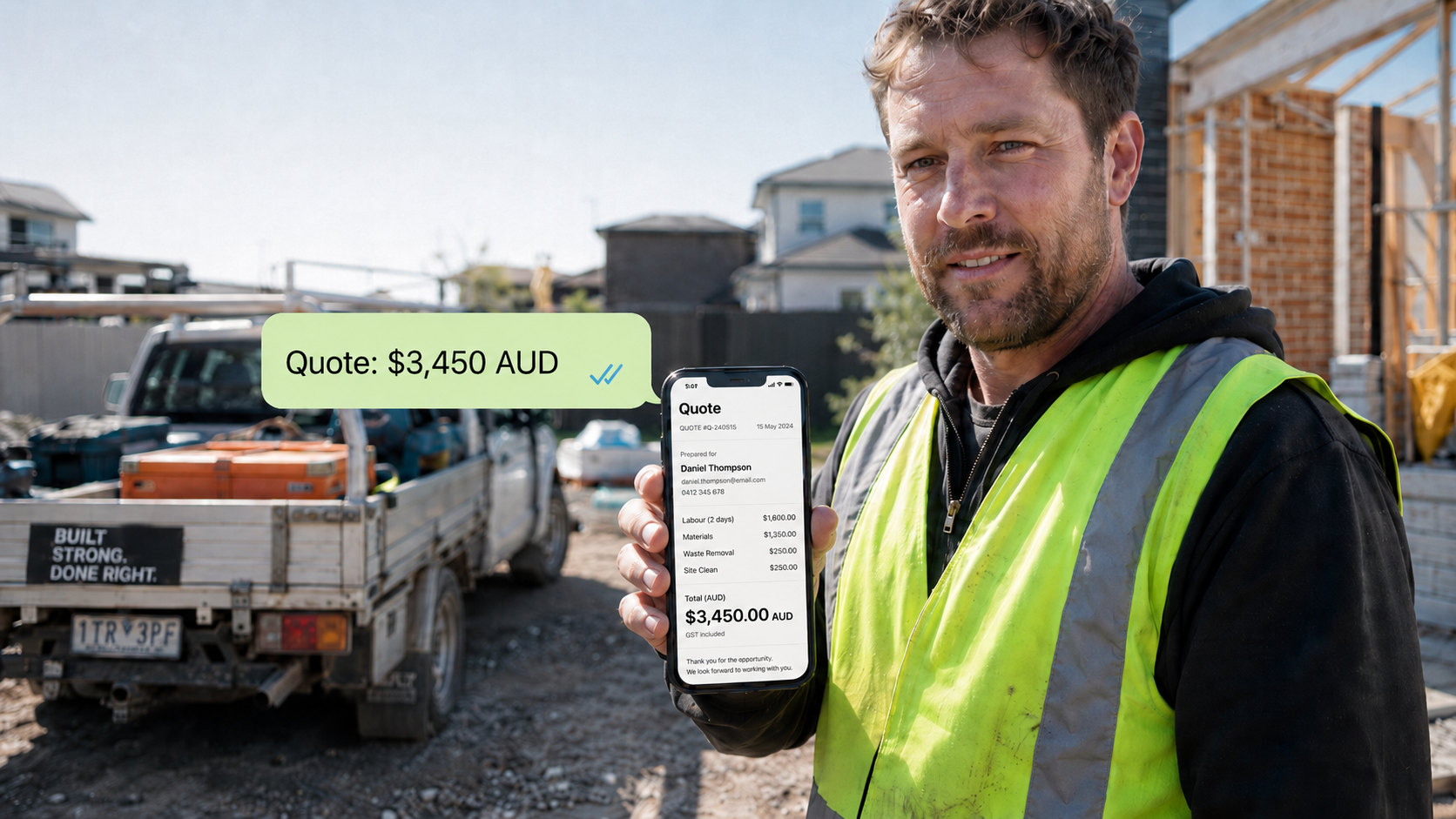
Quote from WhatsApp while they're still interested.

A WhatsApp quoting and invoicing agent built around how you actually quote. Pricing, materials, labour rates and GST all match your business. Send the quote from the worksite in minutes, then turn the won job into an invoice the same way, no app to download. It's just a chat you talk to like a mate.

Book a call
Book a call
Dollar icon for quoting agents

Quoting Agents

A WhatsApp quoting and invoicing agent customised to how you price. Sparkies, plumbers, painters, landscapers and mobile mechanics handle quotes and invoices in minutes from their phone, from first quote to paid invoice, with no new app to learn.

WhatsApp native
Quotes and invoices
Built around your trade. Contact for pricing information.
Tradie sending a WhatsApp quote from a worksite phone

Why this works

Most quoting tools want you to learn a new app and force your prices into their boxes. This one fits how you already work, messaging on WhatsApp, with your pricing rules built in.

Clock icon for quote turnaround time
TIME BACK

Quote in minutes, not at midnight

Type the job into WhatsApp, get the number back ready to send. No more catching up on quotes after the kids are in bed, and no more sitting on a quote for two days while the customer rings someone else.
Settings icon for customised quoting logic
TAILORED

Set up around how you price

Your hourly rate, your callout fee, your supplier prices, your GST treatment. The agent learns your quoting rules so the numbers come out the way you'd write them yourself.
Chat icon for WhatsApp interface
NO NEW APP

Just a WhatsApp chat

Nothing to download, no new login, no training session for the office admin. If you can send a WhatsApp message you can use it. Your customer can too, if you decide to put them in front of it.

Frequently asked questions

How does the WhatsApp quoting agent work?

You message a WhatsApp number with the details of the job, the same way you'd brief a mate. The agent works through your pricing rules, asks for anything it needs (square metres, materials, distance) and sends back a quote you can forward to the customer in a couple of taps.

Do I need to download an app?

No. It runs inside WhatsApp, which you already have. Same for your office admin and your customers. No new login, no app store, no training session.

How do you customise it to my pricing?

We sit down with five to ten recent quotes and work through your rates, materials, callouts, discounts, and any rules you keep in your head. The agent learns those rules so it quotes the way you would. Sparkies, plumbers, painters, landscapers and mobile mechanics all quote differently and the setup matches your trade.

Does it handle invoicing as well as quoting?

Yes, it is quoting and invoicing in one flow. Once a job is won, the same pricing logic turns the quote into an invoice, sent through WhatsApp or handed to Xero, MYOB, or ServiceM8. Overdue invoices can get a polite, automatic reminder, so you get paid without chasing.

What does it cost to set up?

Depends on how complex your pricing is and how many trade types you cover. Most single-trade setups land in a manageable range and pay back in saved hours pretty quickly. Book a call and we'll talk through the specifics for your business.

Will it lock me into a particular accounting tool?

No. The agent sits in front of however you already work. Xero, MYOB, QuickBooks, or no accounting software at all. It hands the quote or invoice off in whatever format suits.

How it comes together

Three phases from first chat to the agent quoting on your behalf. Most setups take a couple of weeks of part-time work from you.

Search icon for discovery phase

Phase 1: How you quote today

We sit down and work through a handful of recent quotes. Materials, labour, callouts, discounts, GST, and any rules you carry in your head. Sparkies, plumbers, painters, landscapers and mobile mechanics all quote differently and the agent matches yours.

Lightbulb icon for build and wire-up phase

Phase 2: Build and wire up

We build the agent, connect it to a WhatsApp number, and put your quoting logic behind it. You test it from your own phone with real jobs and we tune anything that doesn't read right.

Check icon for go-live phase

Phase 3: Live and quoting

Once the numbers come back the way you'd write them, it goes live. You message the WhatsApp number from the worksite or the office, get a quote PDF ready to send, and the customer has it while they're still thinking about the job. Won jobs turn into invoices the same way, and overdue ones can get a gentle automatic nudge.

Book a free 30 min call

Book a free initial chat to get an idea where AI can fit into your business right now.

Pick a time to chat